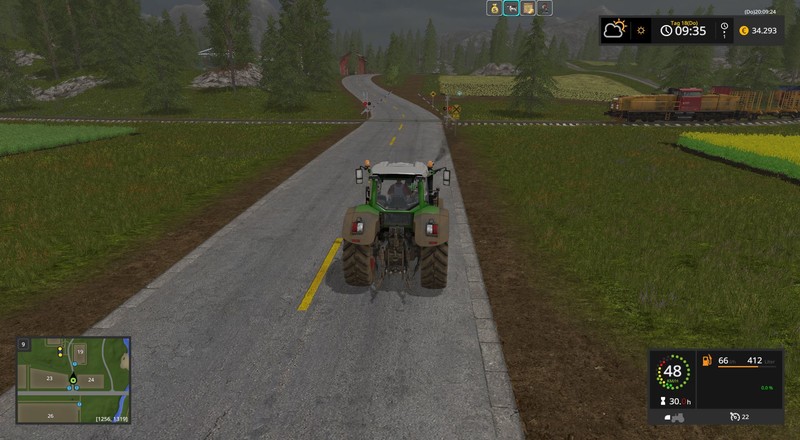
This mod allows all trains to go constantly and brings a little more life to the map.
Whenever you want to cross a train crossing, you have to pay attention to whether a train arrives, especially at the unguarded level crossing.
If you want to take control of a train, then use the "Ctrl + Down Arrow" to disable LocoDrive for the train. If you press the combination again, you activate LocoDrive again for the train.
If there are several trains on the map, you can enable/disable each one.
You can change the speed of a train by deactivating LocoDrive, setting the cruise control with 1 or 2, and re-activating LocoDrive.
Thanks to Balu for this nice mod. I would not want to be without it on a map with trains. There is something to see when plowing and a train rides through the countryside, or if you cross a railway crossing, it is better to look left/right, if you do not want the train "take" you to the next station...
Unfortunately Balu has no more time to maintain and develop his mods. I took LocoDrive fixed a small bug fix and tinkered the little extension (configuration file).
Link to the latest version of Balu: https://www.modhoster.de/mods/locodrive
Link to the message from Balu that he does not further maintain and develop Mods: global-market#comment_1157815 and autodrive#comment_1157812
Changelog:
Version 1.1.2
New: Configuration file
After the first start of LocoDrive, the LocoDrive_config.xml file is created in the Documents \ My Games \ FarmingSimulator2017 folder , with the default settings .
- Trains are now running at 55km / h (about 34mph), which can then also be changed in the configuration file. Changing the tempo of a train does not change the default speed in the XML file. Minimum = 1, maximum = 83 in km / h (= about 51mph)
- The warm-up timer is set to 10000 milliseconds (10s), can be adjusted according to your requirements between 1000ms (1s) and 300000ms (5min).
Invalid or missing values ??in the configuration file are ignored and removed. In each case, the default value is reused.
Version 1.1.1
Bugfix: Trains do not drive at maximum speed anymore
Comments8
You must be logged in to comment.
Wenn man jetzt noch mehrere Züge unabhängig voneinander fahren lassen könnte wäre echt ne Supersache
meinst du mit unabhängig = mit unterschiedlichen Geschwindigkeiten? Das geht zwar nicht standardmäßig, aber du kannst für jeden Zug manuell eine eigene Geschwindigkeit einstellen. Dazu in den ersten Zug wechseln, LocoDrive deaktiveren, Geschwindigkeit beim Tempomat einstellen, LocoDrive wieder aktivieren. Zum nächsten Zug wechseln und hier genauso verfahren. Dann fahren beide Züge mit unterschiedlichen Geschwindigkeiten. Man kann leider nicht in der Konfigurationsdatei einem bestimmten Zug eine bestimmte Geschwindigkeit zuweisen, da die Züge weder unterscheidbar sind, noch (nach dem Laden der Map) immer in der gleichen Reihenfolge vom Skript angesprochen werden. Aber wenn es nur darum geht verschiedene Geschwindigkeiten zu haben, dann kann ich mal schauen, dass ich das mit einbaue. Ich kann dann aber nicht garantieren, dass Zug1 immer mit Geschwindigkeit1 startet und Zug2 immer mit Geschwindigkeit2. Das kann sich auch mal tauschen.
Ich kann drücken was ich will, die Züge lassen sich nicht steuern.
Schau mal bitte bei deiner Tastenbelegung im Spiel, ob dort ein anderer Mod die gleiche Tastenkombination benutzt. Du kannst dort auch die Tastenbelegung für LocoDrive ändern.