1 / 6
Virus checked
v1.0.0.0 latest
Free Mod
River Creation Script Guide
–
Rating
0 Ratings
466
Downloads
0
Thanks
FS25 Script Guide – RIOS Water to SPLINES
Create realistic rivers in Farming Simulator 25 using the FS25 – RIOS COM SPLINES script. This tool allows you to quickly generate rivers with wave animation, depth settings, and terrain alignment without manual modeling in Blender.
Key Features:
- Create a water surface with wave animation
- Align rivers to the terrain
- Adjust river depth and flow
- Ideal for natural landscapes like “Dubrovka Village”
Preparation Steps:
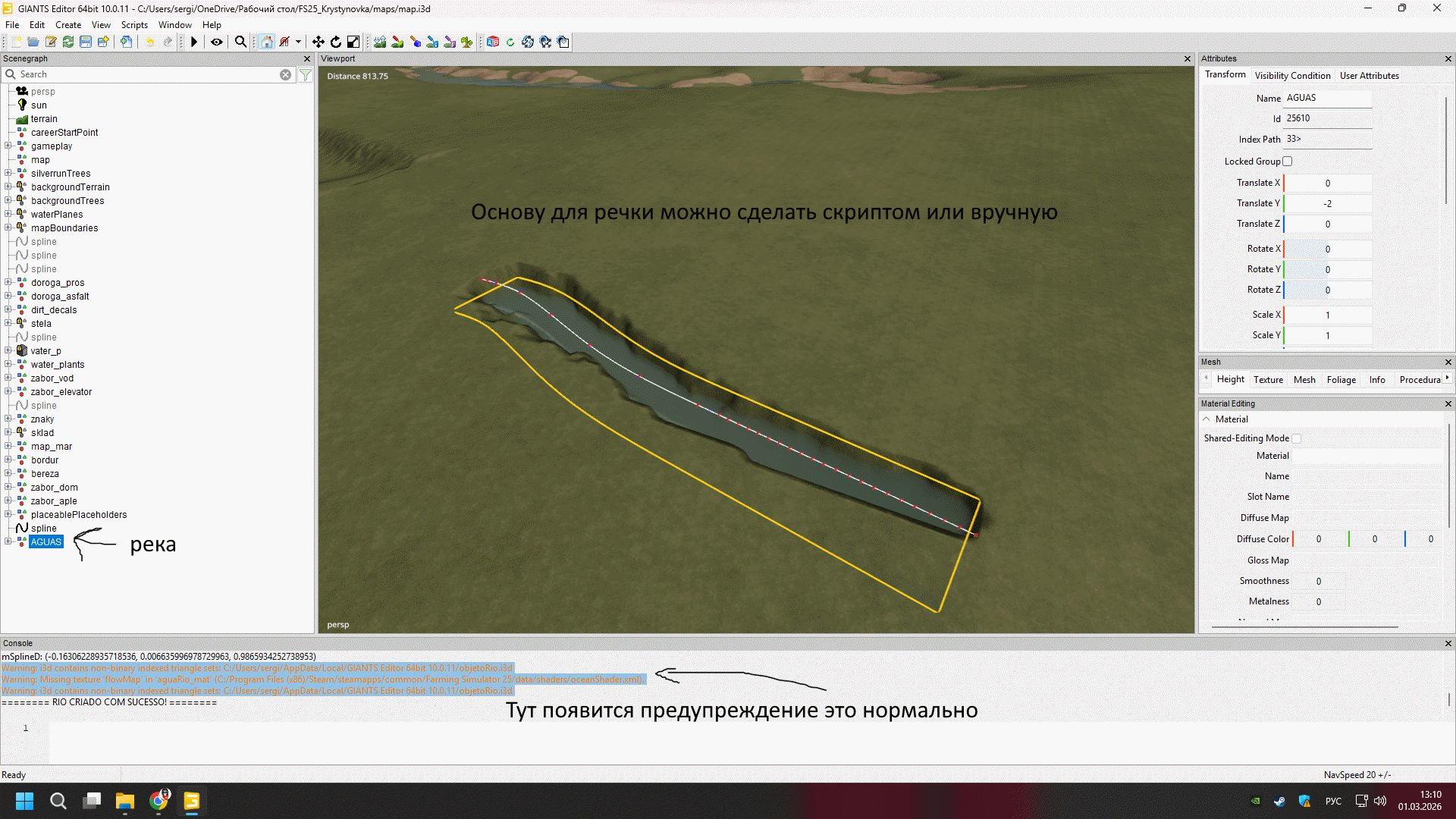
- Create a spline in GIANTS Editor along the desired river path
- Edit points for smooth bends
Script Execution:
- Open Scripts menu and select FS25 – RIOS COM SPLINES
- Configure river settings: width, depth, smoothing, and flow speed
- Enable water animation and terrain alignment
Generation:
Select the spline and click 'GERAR RIO' to generate the river automatically.
Tips:
- Ensure smooth turns with more spline points
- Add decor like stones and reeds for realism
Summary:
The FS25 – RIOS COM SPLINES script is a powerful tool for creating realistic rivers, saving time and enhancing map design.
Comments
You must be logged in to comment.
No comments yet.