1 / 6
–
Rating
0 Ratings
502
Downloads
10.0K
Views
0
Thanks
Radio Enhancements - Partybox Update
This script adds useful enhancements to the in-game radio.Features:
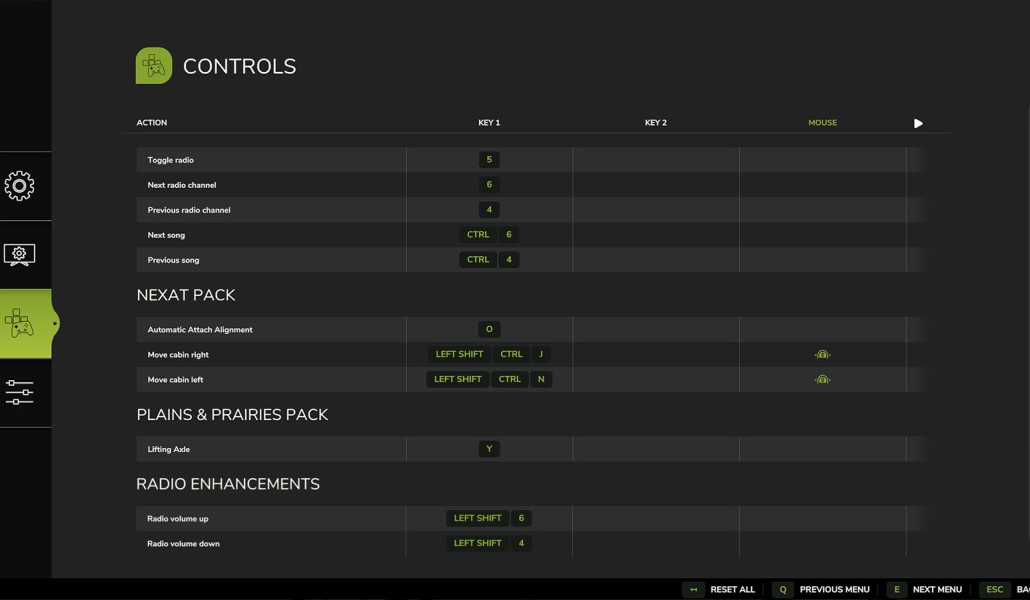
- Change radio volume in vehicles anytime without opening the menu. Default keys: Left Shift + 4 (quieter), Left Shift + 6 (louder). Keys can be customized in the menu settings.
- Current radio volume briefly displayed in the F1 menu.
- Continue hearing the radio after leaving a vehicle, with adjustable volume and distance settings.
- Radio state (on/off) saved individually for each vehicle.
- Helpers switch the radio on by default.
- RadioEnhancements.xml file in modSettings folder for customization.
- Multiplayer support with synchronized radio state and volume.
- Buy a portable Partybox speaker in the shop under Miscellaneous > Miscellaneous for portable music with independent volume control and animated party lights.
- Can't save specific radio stations for individual vehicles; all use the same preferred station.
- In multiplayer, you hear the client-side selected station in other players' vehicles.
- Partybox Update.
- Fixed radio control issues outside vehicles.
- Improved radio volume adjustments when leaving vehicles.
- Added weak background noise to radio sound outside vehicles.
- Radio volume saved separately for each vehicle ID.
- Radio status and volume saved individually for each vehicle in savegame.
- Multiplayer volume changes now audible.
Comments
You must be logged in to comment.
No comments yet.