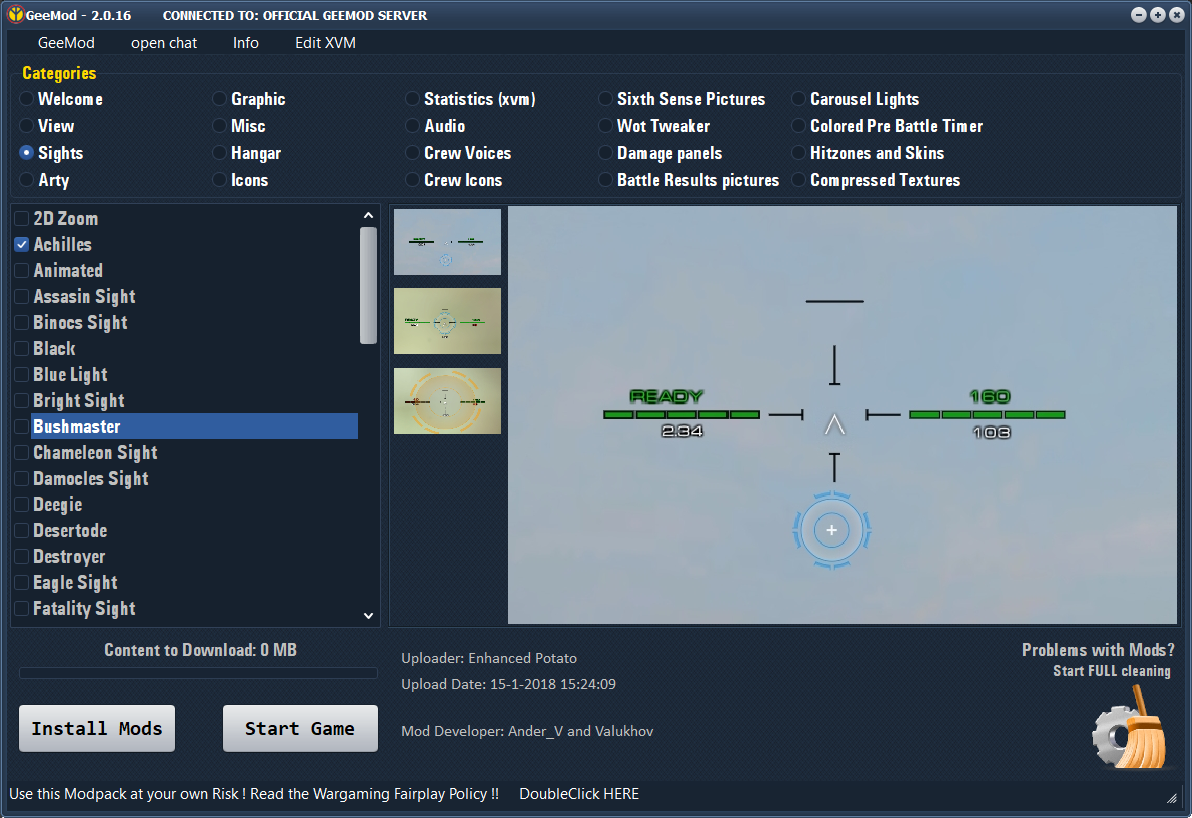
GeeMod 2
- Download GeeMod
- Starte GeeMod
- Wähle die gewünschten Mods aus
- Drücke den INSTALL Knopf
2.0.16:
Diverse Verbesserungen und Fehlerbehebungen
FAQ:
GeeMod doesnt start / doesnt conenct to Server
1. Restart PC
2. Try to delete the GeeMod Install Directory you find it here: C:\Users\USERNAME\AppData\Roaming\GeeMod_Modular
3. Start GeeMod.exe again
NO Mods working?
- Be sure you have selected the correct World of Tanks Install Directory (GeeMod Settings)
- Be sure that the connected GeeMod Server have the World of Tanks Version like your installed Game.
- Try to make a clean Install (Be sure that all cleaning Options are enabled)
Only some Mods doesnt working?
- Ask the Server Admin for help (use the internal Chat in GeeMod)
- Try to make a clean Install (Be sure that all cleaning Options are enabled)
Error 42 ?
- Some downloaded Mods / Preview Pictures are corrupted.
- Try to make a clean Install (Be sure that all cleaning Options are enabled)
- Do not close GeeMod during download/Updates.
Comments
You must be logged in to comment.
No comments yet.