1 / 1
Virus checked
v1.0 latest
Free Mod
Density Layer Installer
–
Rating
0 Ratings
173
Downloads
3.5K
Views
0
Thanks
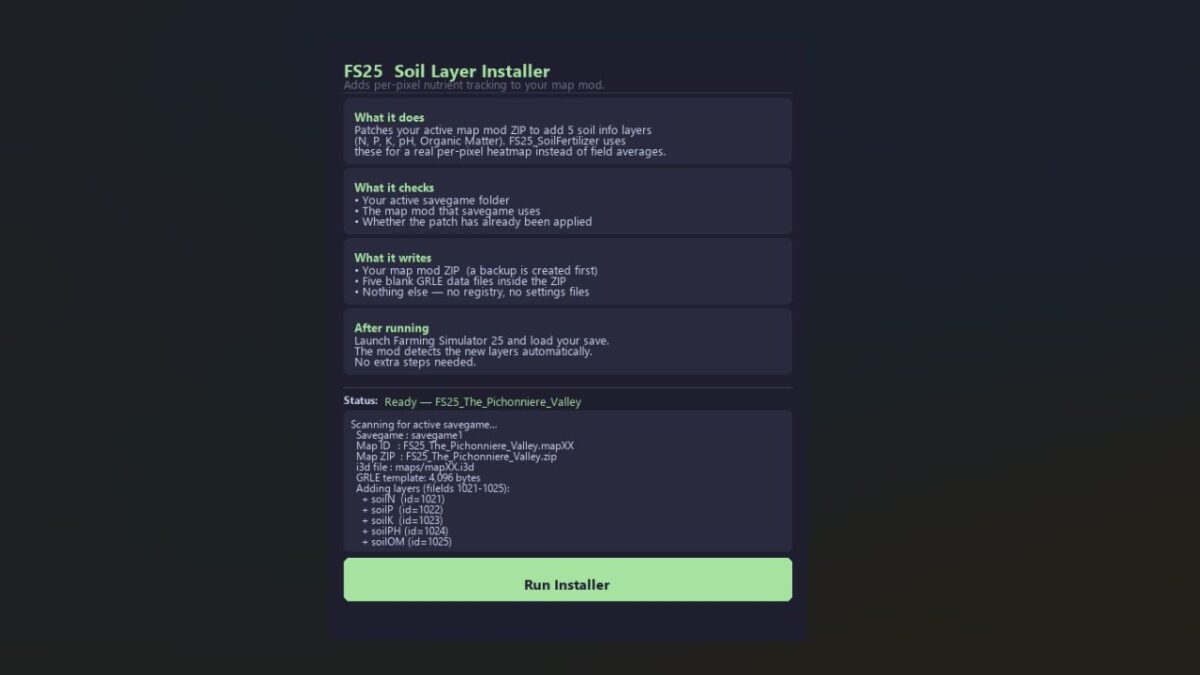
Enhance your Farming Simulator 25 experience with the Density Layer Installer. This tool allows you to effortlessly install five custom soil density-map layers (soilN, soilP, soilK, soilPH, soilOM) with a single click.
Quick Start:
- Download FS25_SoilLayerInstaller.exe
- Ensure Farming Simulator 25 is completely closed.
- Double-click the .exe and select “Run Installer”.
- Launch the game and load your save. You're done!
The installer automatically locates your savegame and map, backs up your map ZIP, and patches everything seamlessly.
Features:
- Tracks nutrients at true per-pixel resolution.
- Allows for detailed soil management and precision farming.
Requirements:
- FS25 must be closed during installation.
- The map mod ZIP should be installed in your Mods folder.
- At least one career save using that map.
Backup & Restore:
A backup is created automatically. To undo the patch, simply restore the backup and relaunch FS25.
Supported Maps: Any FS25 map mod that meets the specified criteria.
Notes:
- Requires FS25_SoilFertilizer version 2.2.5.0 or later.
- Compatible with multiplayer if all clients use the patched map ZIP.
Comments
You must be logged in to comment.
No comments yet.