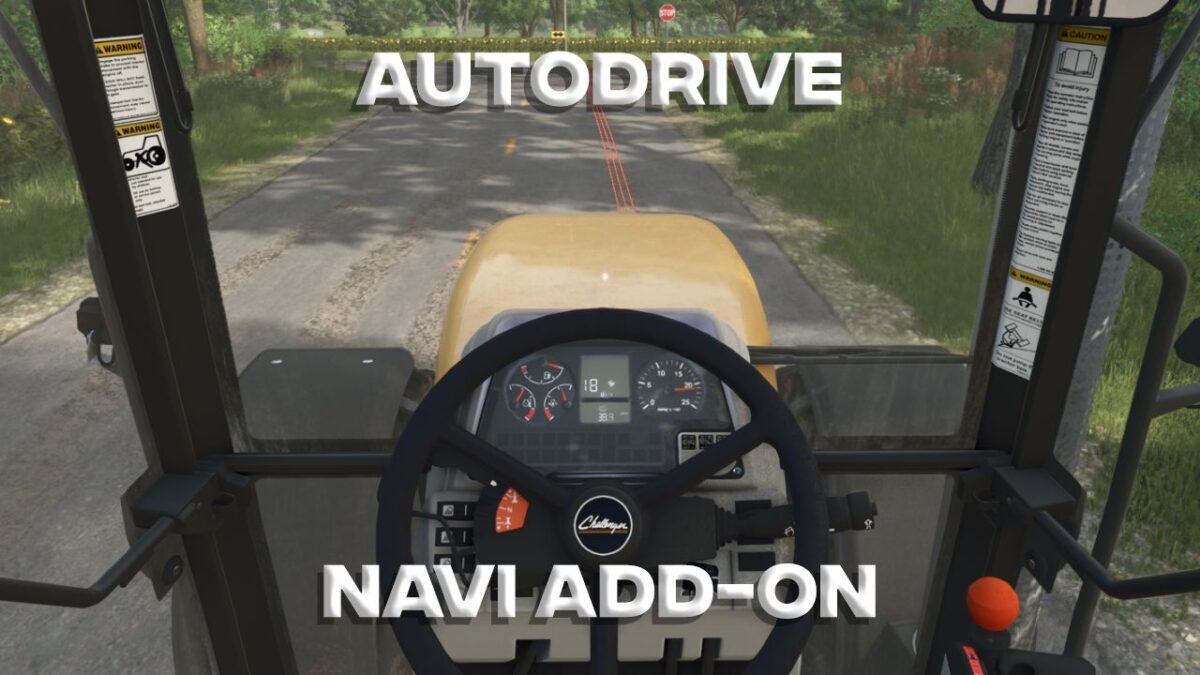
AutoDrive Navigation Addon
Enhance your AutoDrive mod with this navigation system addon. Simply enter your vehicle, choose a destination from the AutoDrive menu, press RightShift+N, and view your route on the minimap and as a line on the road.
Access the settings with Ctrl+RightShift+N. Switch between 'Minimap' and 'Road' tabs using Q and E. Navigate the menu with the up and down arrows or click with your mouse, and use A and D or the left and right arrows to toggle options.
Minimap Settings:
- Display: Toggle line visibility on the minimap.
- Color: Customize the line color.
- Thickness: Adjust the line thickness.
- Visibility: Set how long the line appears on the minimap. The full route always shows on the large minimap.
Road Settings:
- Display: Toggle line visibility on roads.
- Color: Customize the line color.
- Length: Set the length of visible lines ahead.
- Thickness: Define thickness by the number of lines.
- Start: Choose the starting point of the lines ahead.
This mod is freely modifiable and redistributable. Tested with AutoDrive version 3.0.1.2 on the Riverbend Springs map. AutoDrive is required. Note: This mod was created with AI.
Comments
You must be logged in to comment.
No comments yet.